
Daily entries lock after a window you set — 30 days by default. The admin override can be switched off too.
Salary & Workforce
Available nowOne salary period, start to payout.
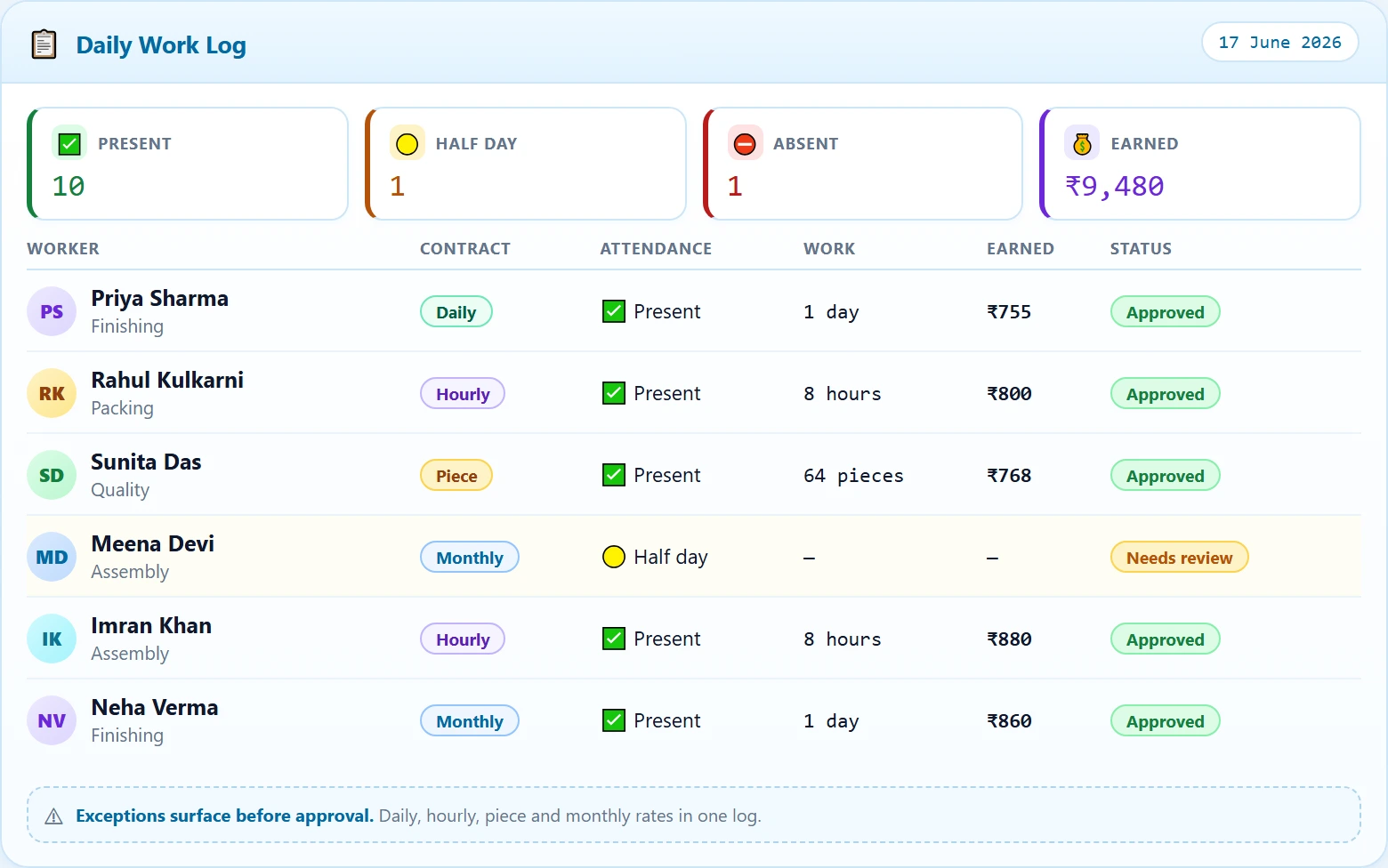
Attendance, hours and pieces land in one log. Exceptions surface before approval — not after payday.
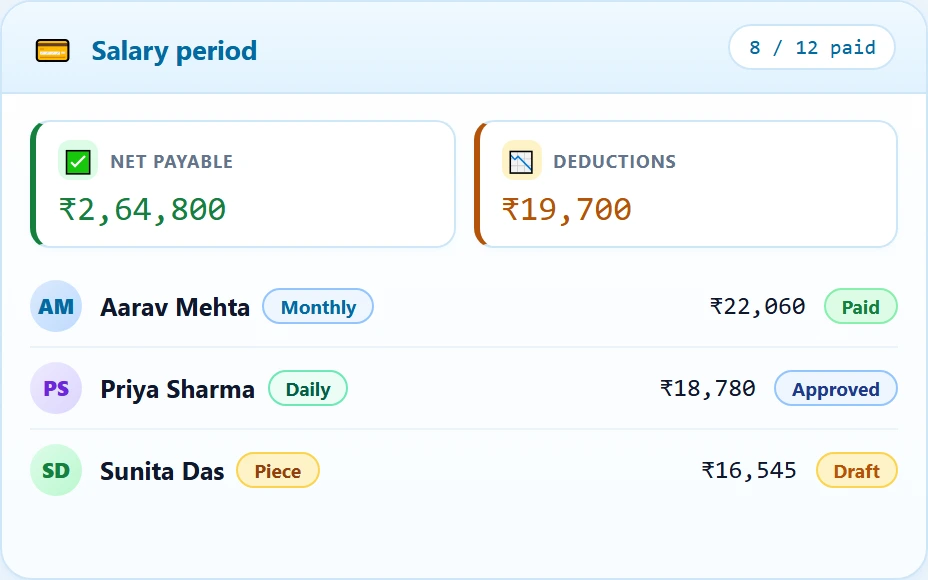
One salary period
The next action is always visible.
Instead of rebuilding a salary sheet each month, the team moves one period through three clear operating moments.
- 01Record daily work
Attendance, hours and pieces enter one reviewable log.
- 02Review exceptions
Missing entries and advances stay visible before approval.
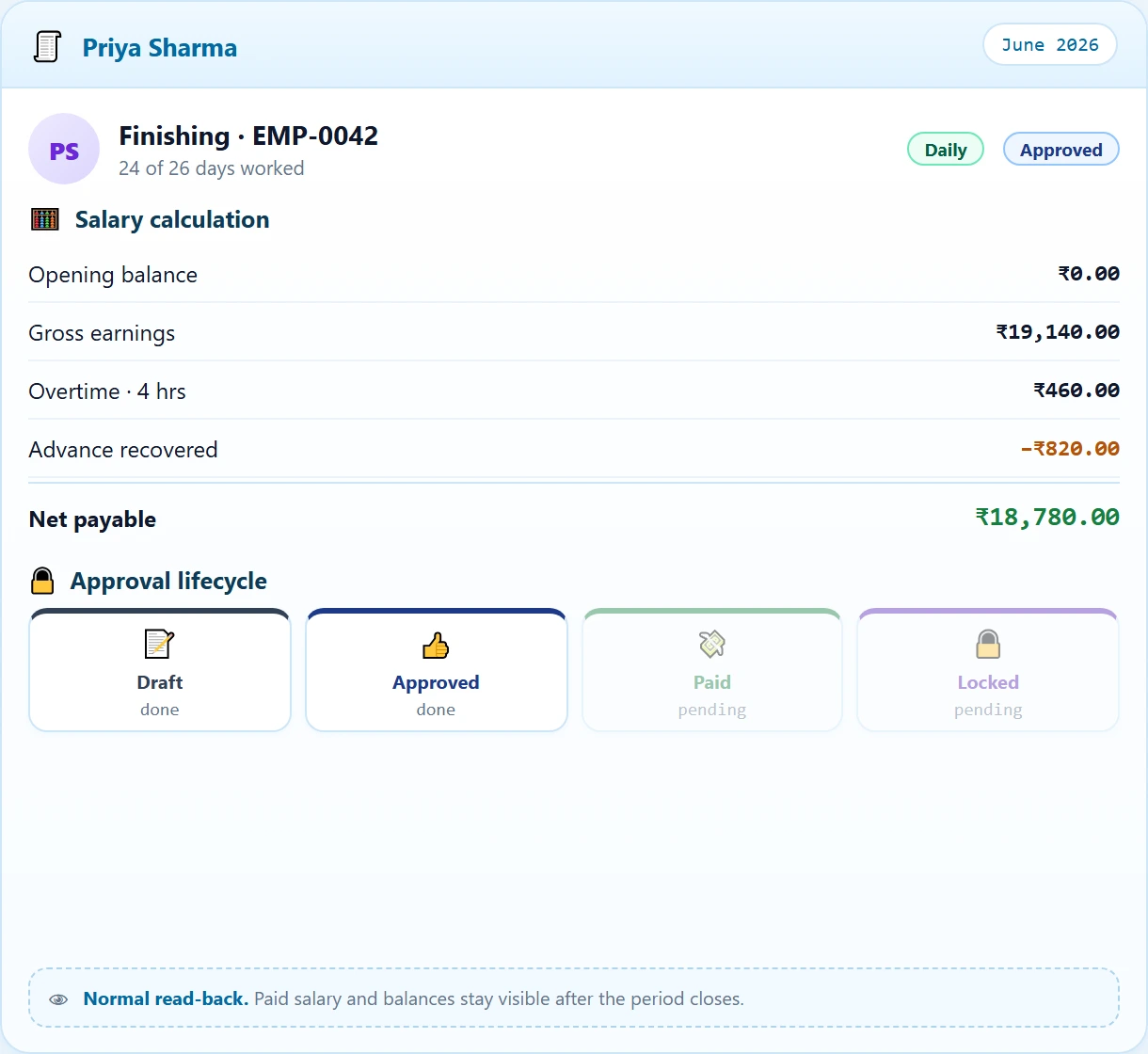
- 03Approve and close
Move each salary from Draft to Approved, Paid and Locked.
Control
What can’t be changed.
A spreadsheet lets anyone edit anything, forever. This is where that stops.
Separate permissions across three roles. A manager can approve a salary; only an admin can seal it.
Draft records only, in their own departments, for today. Back-dated and future entries are refused.
How workers get paid
Four rate types, one salary period.
Days worked at the day rate.
Hours at the worker rate.
Units made at the item rate.
Fixed salary and advances.
Try the real workflow
See how a salary period moves from daily work to payout.
Contact us to discuss your team's salary workflow.